Meetings people can follow
Accessibility starts in the invitation, not when somebody is already struggling to join.
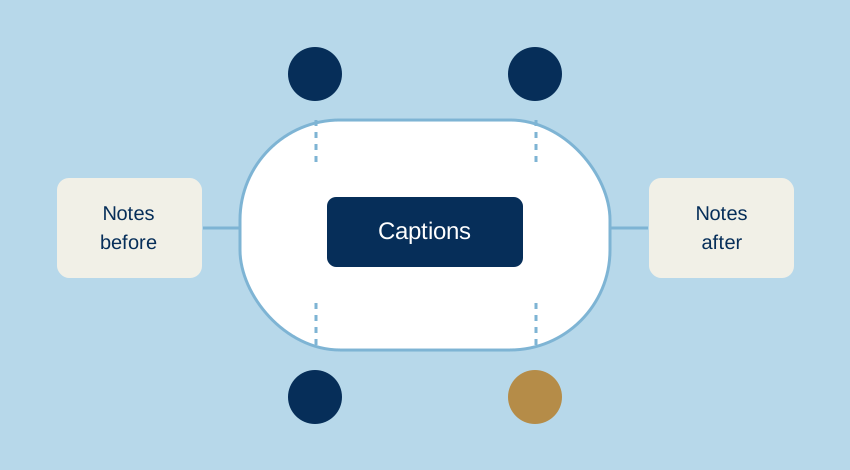
The meeting link works. Everyone can hear something. That still does not tell you whether everyone can follow the discussion. A useful plan covers the material, the speaking turns and the record of what was decided.
Before the meeting: make the invitation do more
Include the purpose, likely duration and a short agenda. Share documents early enough for people to read them or use their own tools. A slide shown for a few seconds is not a substitute for an accessible copy.
Ask what would help people take part: captions, interpretation, a written channel, breaks or materials in another format. Ask about the required access, rather than asking someone to disclose a diagnosis. Give a private way to reply.
The W3C’s Accessibility of Remote Meetings guidance treats the platform, the meeting content and the organiser’s practices as connected concerns. Check the actual setup: the device, player or meeting app, keyboard controls, audio route and any assistive technology the participant needs. A feature list is a starting point, not proof that this meeting will work.
During the discussion: make the floor clear
Name a chair or moderator. Agree how participants ask to speak, including a way that does not depend on being seen or heard at exactly the right moment. Say who is speaking when the context is unclear, and avoid several conversations running at once.
In a hybrid meeting, check that remote participants can follow people in the room. Do not assume a laptop at one end of a table captures every voice. Repeat a question into the meeting’s audio channel before answering it.
Leave time to read a shared passage or caption before moving to a decision. Write the decision somewhere participants can access, then check that it reflects what was agreed. This gives people another route into the conversation without treating silence as agreement.
Captions: useful, with a job still to do
Live captions can make speech available as text, but errors in names, numbers or a single “not” can change a decision. Explain how participants can flag an error. Repeat or write down essential details rather than expecting everyone to repair the transcript in their head.
Where participants need professional captioning or interpretation, arrange it in advance. Automatic captions are not an interchangeable replacement for every access need. Ask what works for the people taking part.
WCAG’s explanation of live captions describes Success Criterion 1.2.4, a Level AA requirement for live audio in synchronised media. It is not a blanket statement that every two-way call must offer captions regardless of context. Use the standard within its scope and plan participation around the actual meeting.
“We’ll take one speaker at a time. The agenda and decisions are in the shared notes. Please use the agreed signal or message me if you need a pause or something repeated.”
This is an editorial example, not a quotation from a participant.
Afterwards: share outcomes, not a pile of errors
Send a concise record of decisions, actions and owners. Distinguish what was agreed from a suggestion that was only discussed. A raw automatic transcript may be useful working material, but it is not automatically an accurate set of minutes.
Before recording or retaining transcripts, explain the purpose, who can access them and how long they will be kept. Avoid collecting more personal information than the task needs. Access to a meeting should not silently become consent to every later use of a recording.
A short meeting check
- Purpose, agenda and documents shared in advance.
- A private route for participation needs.
- The actual audio, captions and joining process checked.
- A moderator and an agreed way to take turns.
- Important details and decisions available in writing.
- A clear plan for recordings, transcripts and follow-up notes.
Start with the part that failed last time. Ask participants whether the change helped. A small, specific improvement is easier to assess than a promise that the entire meeting is now “accessible”.