Give your captions a second look
A caption can be spelled correctly and still tell the viewer the wrong thing.
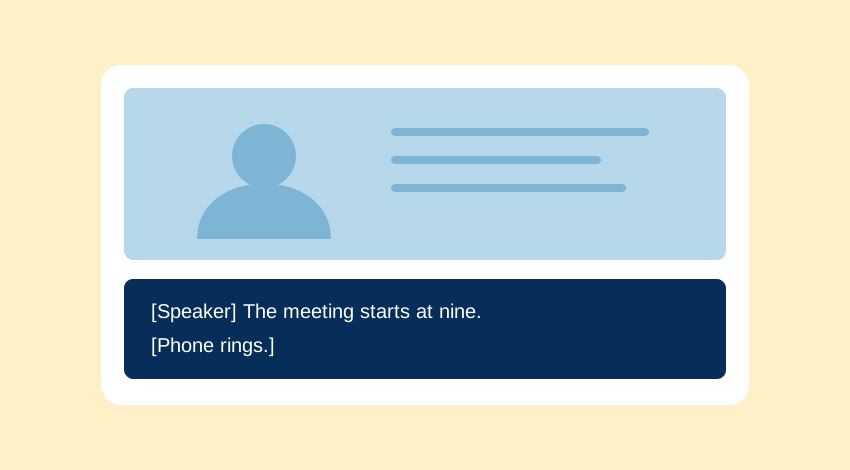
Automatic transcription can give you a first draft. It cannot tell you that the finished video makes sense to a viewer who cannot use its audio. Check meaning, timing and presentation separately; each can fail while the others look fine.
Start with what the viewer needs to know
Captions include speech and relevant non-speech audio. Speaker changes, a doorbell or a phone ringing can matter if the viewer needs them to understand the scene. The aim is not to describe every noise. It is to preserve the information carried by sound.
The W3C’s guide to captions explains this distinction and the need to correct automatic output. A transcript is a useful text record, but captions also need to appear in time with the video.
For prerecorded synchronised media, WCAG Success Criterion 1.2.2 is a Level A caption requirement. Its exception concerns media that is itself an alternative for text and is clearly labelled that way. It is not a general exemption for short or informal videos.
Three passes through the video
1. Meaning
Compare the captions with the audio. Pay particular attention to names, dates, amounts, technical terms and negation. “Can” and “can’t” may look like a tiny edit; they can reverse the instruction. Check uncertain words with the speaker or another authoritative source instead of guessing.
Identify a speaker when the image or context does not make the change clear. Include meaningful sound cues where they help explain an action. Keep editorial additions distinct from the spoken words.
2. Timing
Review the captions against the final edit, not an earlier cut. Check entrances, exits, pauses and speaker changes. Text that appears before the relevant moment can spoil a reveal or attach a statement to the wrong person. Text that vanishes too soon leaves the viewer catching up.
Break the text at sensible language boundaries. Avoid splitting a short phrase in a way that makes it harder to read. Do not rely on a single reading-speed number as a guarantee: the wording, scene and intended audience still matter.
3. Understanding without audio
Watch the video muted with captions on. Can you follow the point? Is an important sound missing? Does an on-screen label conflict with the caption? This pass catches gaps that are easy to overlook while you are unconsciously filling them in from the audio.
Test the player, not just the caption file
Upload the captions to the player people will use. Check a phone-sized view and full screen. Make sure the caption control can be found and operated with a keyboard. Look at contrast and placement, especially when captions compete with a name label or important detail near the bottom of the picture.
Where the player allows caption styling, check that changes do not clip the text. Where text is burned into the video, remember that viewers may have no way to move it or change its size. Review the exported file rather than assuming the editing preview is representative.
Leave a useful record of the check
A short review note is enough to make the work traceable. Record the final video version, who reviewed it and any unresolved passages. “Captions checked” is less helpful than identifying what was checked.
Final export v3 · speech and names checked against audio · timing checked after the last edit · muted playback checked on phone and desktop · speaker’s surname awaiting confirmation.
This is a sample, not a claim that Projectear tested a particular video.
Resolve a disputed name or instruction before treating the captions as ready. If you cannot establish the wording, keep that uncertainty visible in the review process; do not silently turn a guess into a fact.
A quick release check
- Speech reflects the intended meaning.
- Names, numbers and negative statements have been checked.
- Relevant speakers and sounds are identifiable.
- Timing matches the final video edit.
- Text remains readable in the actual player.
- The caption control works in the intended setup.
- Outstanding questions have been resolved or clearly recorded.